Support for video sites (not only youtube)

A new very interesting feature, thanks to the newly added support for mpv, is the possibility to play videos from many video sites. Youtube was already supported, but now you can play videos from DailyMotion, Vimeo, Vevo and many more sites, just by entering the URL of the video in SMPlayer. Performance is much better in SMPlayer (or any other player) than using the flashplayer in a web browser.

You’ll need:

  • SMPlayer from SVN
  • mpv 0.7.0 or greater
  • the very latest version of youtube-dl

Configuration:

You need to enable the option “Play video from streaming sites” in Preferences -> Network.

After that you only have to enter the URL of the video you want to play in Open -> URL. The video will be played by mpv, which will use youtube-dl to get the real address of the video.

Youtube-dl supports a lot of sites. You can get a list here: http://rg3.github.io/youtube-dl/supportedsites.html

Playing a video from dailymotion

SMPlayer already had support for Youtube, so the Youtube URLs will still be handled by SMPlayer. However it’s possible to disable SMPlayer’s internal support for Youtube. In this case the Youtube URLs will be passed directly to mpv, which actually provides an interesting feature: subtitles are available.

Playing a Youtube video with subtitles

SMPlayer with support for MPV is now available

After 25 days of hard work and almost 7,000 lines of code, I’m proud to announce the first public version of SMPlayer with support for MPV.

MPV is a player based on MPlayer and MPlayer2, with new features and bug fixes.

Some of its most interesting features:

  • Possibility to display two subtitles at once
  • Play videos from video sites, like Youtube, DailyMotion, Vimeo, Vevo and many more
  • Support for MKV ordered chapters
  • Precise seeking
  • Native support for VAAPI and VDA. Improved VDPAU
  • Better support for taking screenshots
  • (Windows) Improved support for Unicode file names

Click here for a detailed list of the MPV features

The support for MPV in SMPlayer is not complete yet, but the most usual functions should work now.

How to get it

Support for MPV is available in SMPlayer from version svn r6419.

There are packages for both Windows and Linux here:
http://smplayer.sourceforge.net/mpv.php

How to use it

To use MPV instead of MPlayer, open the SMPlayer preferences dialog, and enter “mpv” instead of “mplayer” in the mplayer executable field.

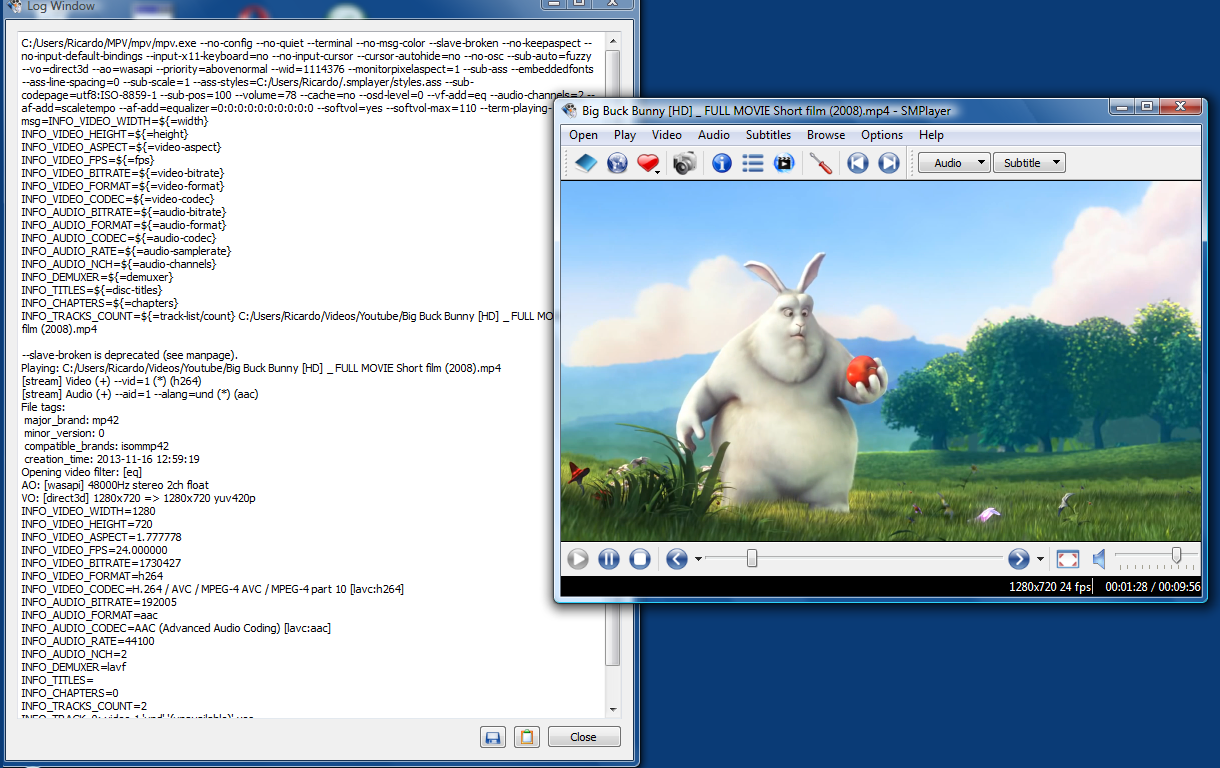
 SMPlayer using mpv on Windows

SMPlayer will support MPV

I’m very happy to announce that the next version of SMPlayer will support MPV.
I’m currently adding support for MPV, it’s not an easy task, since every single command has to be reimplemented, so it’s a slow process.

At this point the basic functions (play, pause, seek, etc.) and most of the options in the menus “Play”, “Video”, “Audio” and “Subtitles” work.

For more detailed info click here.

There’s no public version available yet, but a beta will probably be available soon.

SMPlayer using mpv on Windows